
Blackmagic Design has officially announced DaVinci Resolve 21, and it is a massive leap forward. While version 19 introduced powerful AI, version 21 completely redefines the workflow by integrating professional photography and mind-blowing facial transformation tools.
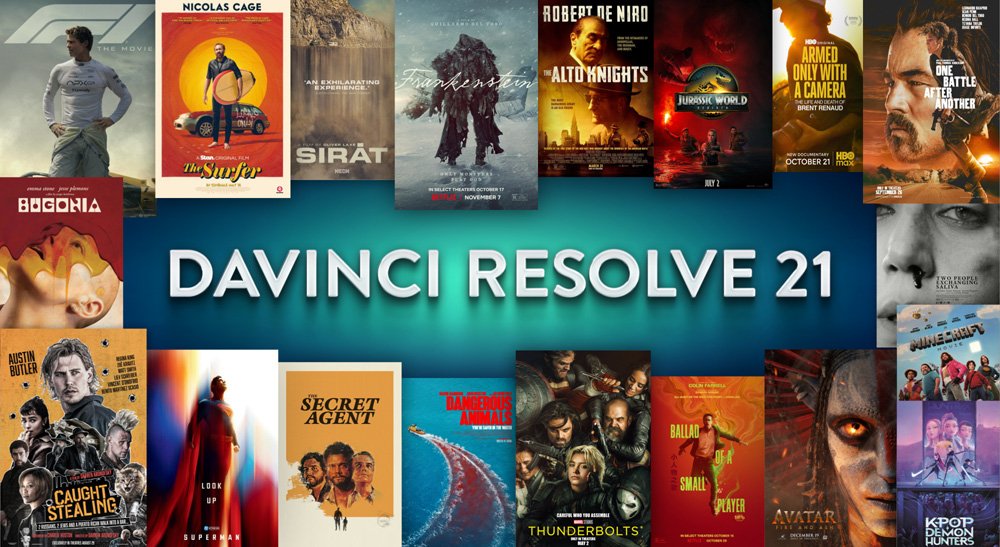
Top 5 Game-Changing Features in Version 21
1. AI Face Age Transformer (Age-Type Magic)
This is the most talked-about feature. The AI Face Age Transformer allows editors to adjust an actor’s age digitally without complex VFX.
- The Power: Using a simple slider, you can add or remove years from a subject’s face. The AI accurately adjusts skin texture, wrinkles, and facial fullness.
- Use Case: Ideal for flashbacks or flash-forwards in cinematic storytelling.
2. The Dedicated Photo Page
For the first time, DaVinci Resolve is no longer just for video. The new Photo Page brings Hollywood’s most advanced color grading tools to still photography.
- Raw Support: Import and edit RAW files from Sony, Canon, Nikon, and even iPhone ProRAW.
- Node-Based Grading: You can now use the same powerful node system used in movies like Avatar to edit your photographs.
- AI UltraSharpen: Enhance low-resolution photos into high-quality images while retaining natural textures.
3. AI CineFocus (Post-Production Depth of Field)
Missed the focus on set? AI CineFocus lets you define the focal point after the shot is taken. You can adjust the aperture, change the depth of field, and even add realistic bokeh effects.
4. IntelliSearch (AI Media Organizer)
Stop wasting hours searching for clips. IntelliSearch uses AI to analyze your footage. You can search for “Man wearing a hat” or “Smiling woman,” and the AI will find the exact frames in your media pool instantly.
5. AI Blemish Removal & Face Reshaper
Professional beauty retouching is now automated. The AI Blemish Removal tool identifies and smooths skin imperfections while keeping the skin texture realistic, and the Face Reshaper allows for subtle adjustments to facial features like eye size or jawline.
Pros & Cons: Professional Review
| Feature | Pros (Advantages) | Cons (Challenges) |
| Age Transformer | Saves thousands of dollars on de-aging VFX. | Needs high-resolution footage for the most realistic results. |
| Photo Page | A serious alternative to Adobe Lightroom/Photoshop for colorists. | The interface is professional and has a learning curve for beginners. |
| AI Speed | Tasks that took 5 hours now take 5 minutes with AI. | Requires a powerful GPU (8GB+ VRAM) to run smoothly. |
| IntelliSearch | Revolutionary for documentary and wedding editors. | AI indexing takes time initially when importing large folders. |
Conclusion: Is DaVinci Resolve 21 the Future?
The jump to version 21 isn’t just a minor update; it’s a statement. By introducing the AI Face Age Transformer and a dedicated Photo Page, Blackmagic Design has officially blurred the lines between high-end VFX, professional photography, and standard video editing.
Whether you’re an indie filmmaker trying to de-age your lead actor or a photographer looking for the legendary “Cinema Look” for your stills, this version has something revolutionary for you. At Dark Screen Production, we believe these tools don’t just save time—they unlock a level of creativity that was once only possible in major Hollywood studios.
What’s your favorite new feature? Are you excited about the Age Transformer or the new Photo Page? Drop your thoughts in the comments below!
Why you should stay tuned to Dark Screen Production:
Technology moves fast, but we move faster. We are currently testing the DaVinci Resolve 21 Public Beta on our own cinematic projects.
Coming Up Next: * A deep-dive tutorial on using the AI Face Age Transformer for realistic flashbacks.
- How to import your Lightroom catalogs directly into the new Resolve Photo Page.
Don’t miss out on the next big wave in cinema tech. Bookmark this page and keep checking back for the latest gear reviews, editing tips, and industry secrets.
Stay Creative. Keep Editing. This is Dark Screen Production.